
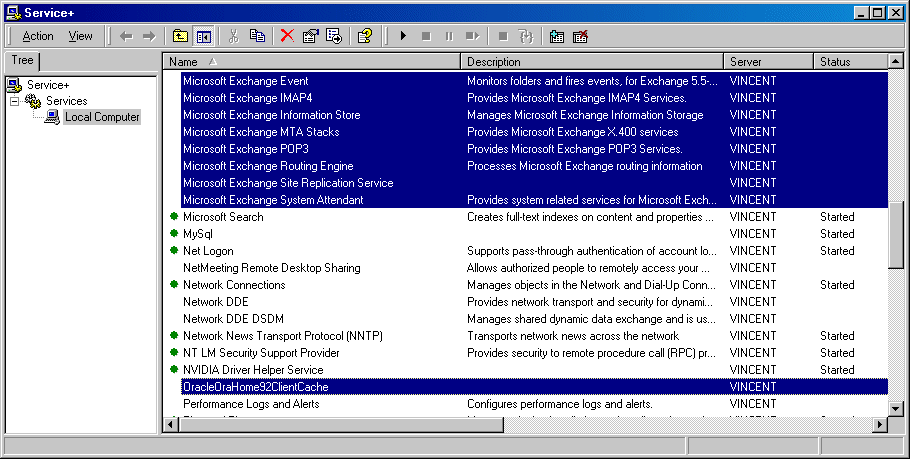
這是一個伺服器的服務功能管理工具,其優點有:1>可同時開啟、停止、重新啟動多項服務功能。2>同時設定多項的服務功能。3>移除服務功能。4>無須重新開機即可終止沒有回應的服務功能。5>即時監控主機各項服務功能的狀態。6>將主機目前所提供的服務功能及設定全部列表,並即時監控。軟體介紹
Service+ 4.10.73.4568 for 64 bit
可以同時控制多個伺服器的服務功能,也可即時監視伺服器的服務狀態。
授權性質:共享
使用限制:請見說明
介面語言:英文
作業系統:Windows Server
點閱次數:12,664
下載次數:1,104
檔案大小:8.03 MB
更新時間:2020/8/4 下午11:06:40
官方網站: Active+ Software
軟體簡介
其他版本軟體 / 作業系統
版本更新
v4.10.73 21-Nov-2016
New: Demo versions can now be identified as such in the About box.

v4.10.72 21-Apr-2016
New: Updated the ServiceMill UI to allow support of 'Show icon in taskbar' feature when running 32 bit processes.

v4.10.71 16-Apr-2015
New: Support for ServiceMill console viewing.
Fixed: ServiceMill service started remotely in an interactive session could end up in another session.
Fixed: The Service+ window was not shown when double clicking on the Service+ shortcut, if it was already started.
詳細說明介紹
系統需求:
- Windows NT 4(至少SP6),2000,XP,2003,Vista,2008、2008 R2、7、2012、8、10、2016。
- 適用於x86和x64平台(以及Intel Itanium 4.5.60及更高版本)。
- 15 MB的硬碟空間
如果您覺得此軟體符合您的需求,請點擊下方按鈕前往下載頁面。
立即進入下載頁面軟體截圖參考
該公司的其他軟體
資料讀取中...